
Business Process Automation: A Guide
Most businesses have invested considerably in technology over recent years. They have digital systems for managing customers, processing orders, handling finances, communicating with employees and storing business information. Yet, despite a proliferation of technology, a surprising amount of everyday business activity still depends on people manually moving information from one place to another.
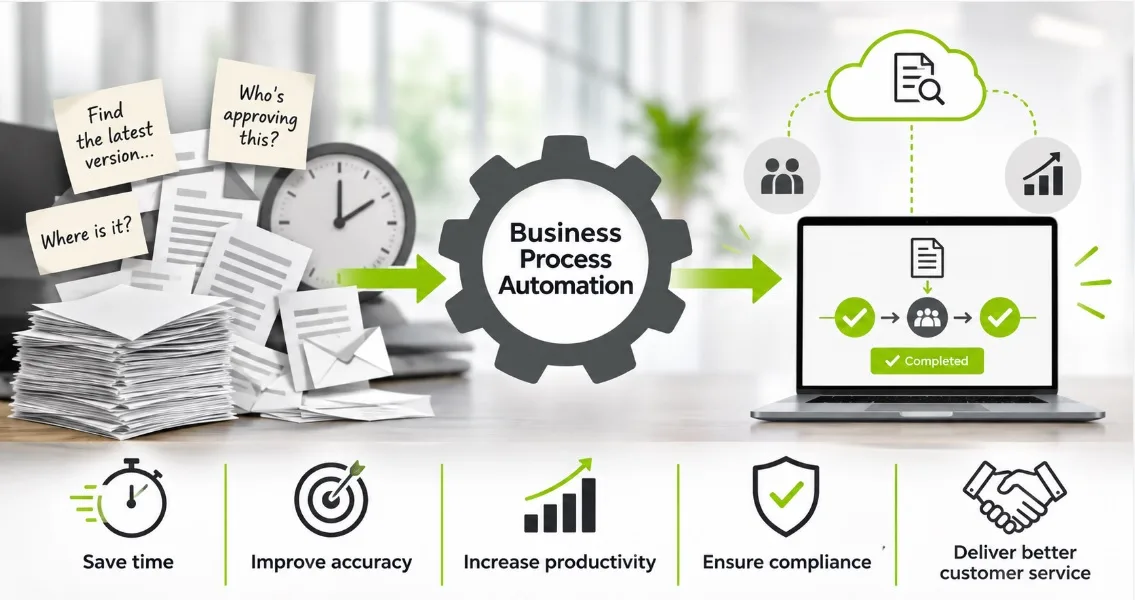
An invoice arrives by email and has to be downloaded, checked, entered into an accounts system and sent to someone for approval. A customer application needs to be reviewed by several departments before a decision can be made. A contract is circulated between colleagues, with different versions appearing in email attachments and shared folders. Someone then has to chase the outstanding approval.
Individually, these activities might seem relatively insignificant. Across an organisation, however, they consume an extraordinary amount of time.
This is where business process automation comes in. Rather than simply introducing another piece of software, automation looks at how work actually gets done and identifies opportunities to remove unnecessary manual activity, improve the flow of information and make processes more consistent.
For organisations looking to improve productivity, control costs and respond more quickly to customers, business process automation is becoming an increasingly important part of the way they operate.
The business opportunity is not simply to make existing processes faster. It is to rethink how work moves through an organisation and create a more connected, responsive and efficient business.
What is business process automation?
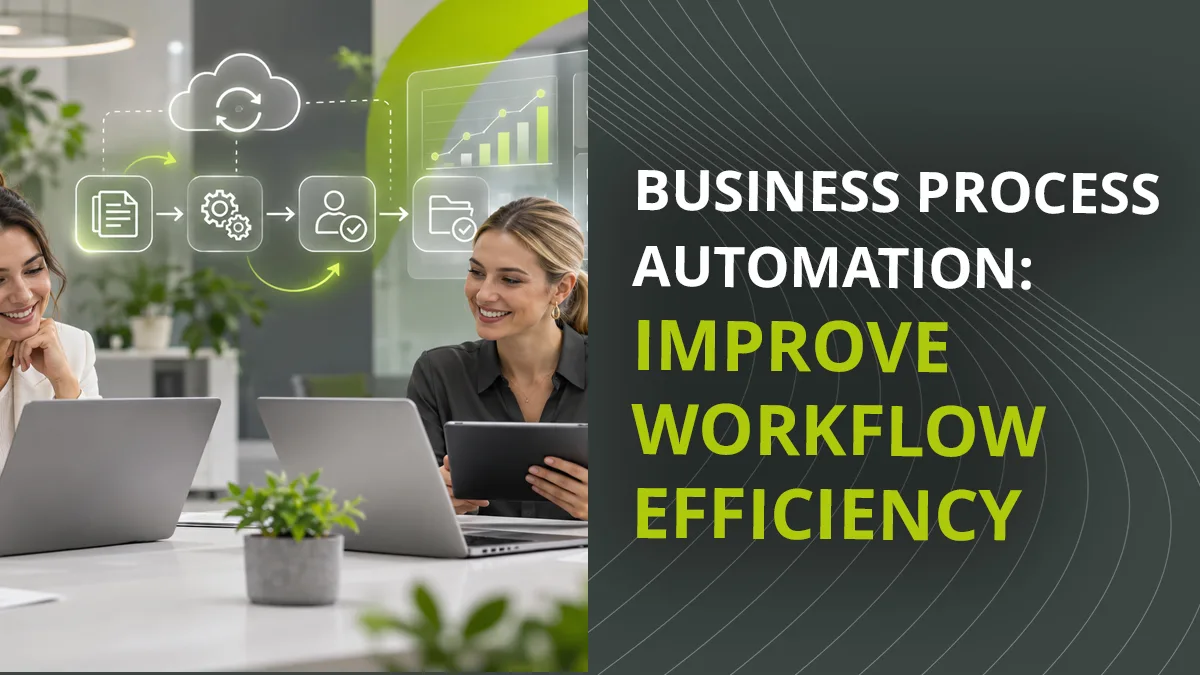
Business process automation (BPA) is the use of software and digital technology to manage tasks and activities that would otherwise require manual intervention.
A business process is essentially a series of connected activities designed to achieve a particular outcome. It might involve processing a sales order, approving an invoice, onboarding a new employee, handling a customer enquiry or managing a contract.
In many organisations, these processes involve several people, departments and software applications. Information has to be collected, checked, transferred, approved and stored before the process can be completed.
Business process automation connects operational activities using predefined rules and workflows to determine what happens next, who needs to be involved and when action is required.
For example, when an invoice enters a business, an automated process could recognise the document, extract relevant information, identify the supplier, check the invoice details and route it to the appropriate person for approval. Once authorised, it could be passed to the finance system and securely archived.
What might previously have involved several emails, manual data entry and repeated checking can become a controlled digital process.
Importantly, automation does not mean removing people from every decision. It means allowing technology to handle predictable, repetitive activities so that employees can concentrate on tasks where their experience, knowledge and judgement add genuine value.
Wikipedia provides a useful explanation of process automation.
Why are manual business processes such a problem?
Manual processes have developed in businesses for understandable reasons. They are often introduced to deal with an immediate requirement and, at the time, provide a perfectly workable solution.
A spreadsheet might be created to track orders. An email process might be established to approve expenditure. A shared folder might become the place where employees exchange documents.
The difficulty is that these arrangements tend to grow organically. As the business expands, more people become involved, more information is generated and additional steps are introduced.
Before long, what started as a simple process becomes complicated and difficult to manage.
The problems are familiar. Employees spend time entering the same information into different systems. Managers have to chase outstanding tasks. Documents are misplaced or saved in the wrong location. Approvals are delayed because the relevant person is unavailable. Different departments develop their own ways of doing things, making it difficult to maintain consistency.
There is also a less obvious problem: a lack of visibility.
When a process relies on emails, spreadsheets and individual knowledge, it can be difficult to establish exactly what is happening. Has an invoice been approved? Who is responsible for the next action? Is a customer application waiting for information? Has the latest version of a document been used?
These questions can take a surprisingly long time to answer.
The real cost of manual processes is therefore not just the time spent completing individual tasks. It is the cumulative effect of delays, duplication, errors, interruptions and the management effort required to keep everything moving.
What can business process automation achieve?
The most immediate benefit of business process automation is the removal of unnecessary manual work. However, the wider benefits extend well beyond saving time.
Improved productivity and efficiency
When routine activities are automated, employees no longer need to spend so much time performing repetitive administrative tasks. Information can be captured once and made available to the people and systems that need it.
This enables employees to concentrate on more productive activities, while processes continue to move forward without relying on constant intervention.
Faster processing and decision-making
Automated workflows can route information directly to the appropriate person or department. Notifications can be generated when action is required and reminders or escalations can be triggered when deadlines are approaching.
Instead of waiting for someone to notice that a task needs attention, the system actively manages the process.
Greater accuracy and fewer errors
Manual data entry and information transfer introduce opportunities for mistakes. Automation reduces the need to enter or interpret the same information repeatedly.
Rules can also be applied consistently to help ensure that processes follow agreed procedures and that important steps are not overlooked.
Better control and accountability
An automated process provides a record of what has happened, when it happened and who was responsible for each action.
Records are particularly important when approvals, financial transactions, contractual information or regulated documents are involved. A clear audit trail makes it easier to demonstrate that the correct procedures have been followed.
Improved customer service
Customers rarely care how many internal departments are involved in delivering a service. They care about receiving a timely response and having their requirements dealt with properly.
By removing internal delays and improving access to information, automated processes can help businesses respond more quickly and provide a more consistent customer experience.
Microsoft explores these benefits in its BPA Overview.
Where can businesses use process automation?
Almost every department has processes that could benefit from automation. The greatest opportunities are often found in activities involving large volumes of information, repeated decisions or several stages of approval.
Consider some common examples.
Finance and invoice processing
Accounts departments frequently deal with substantial volumes of invoices, purchase orders and supporting documentation.
A manual process might involve receiving an invoice, checking the details, identifying the relevant cost centre, obtaining authorisation and entering the information into an accounting system.
With business process automation, documents can be captured digitally, information extracted and invoices routed automatically according to predefined approval rules. Exceptions can be flagged for investigation, while approved invoices move to the next stage.
Automation reduces administrative effort and makes it easier to monitor outstanding payments and commitments.
Human resources and employee management
Employee onboarding is another process involving considerable administration.
New employees may need contracts, identification documents, policy information, training records and system access. Different departments have to complete their respective responsibilities before the individual is fully established within the organisation.
An automated workflow can coordinate these activities, assign responsibilities, issue reminders and ensure that the necessary documents are completed, stored, archived and deleted correctly.
The same approach can be applied to employee changes, training approvals and leaver processes.
Sales and customer administration
Sales teams need accurate and accessible information to manage customer relationships effectively.
Automation can help manage incoming enquiries, allocate opportunities, generate documentation and trigger follow-up activities. When information is captured consistently and shared between relevant systems, employees have a clearer picture of customer activity.
Automated workflows reduce administrative delays and help to prevent opportunities from being overlooked.
Contracts, purchasing and approvals
Contracts and purchasing processes often involve multiple people with different levels of authority.
An automated workflow can determine who needs to review a document, establish the order of approvals and record decisions. If an approval is delayed, the system can issue reminders or escalate the task.
The result is a more transparent process with greater control over important business commitments.
The importance of document management in business process automation
One of the most overlooked aspects of business process automation is the role played by documents and business information.
Most business processes generate, receive or depend on documents. These might be invoices, purchase orders, customer correspondence, contracts, application forms, personnel records or technical specifications.
Yet documents are frequently managed separately from the processes they support.
An employee might complete a task in one application, retrieve supporting information from another and then send a document by email to obtain approval. The outcome might eventually be recorded in a third system.
This separation creates unnecessary work and makes it harder to maintain control.
Effective automation needs to bring information and processes together.
A document management system provides a central environment in which business documents can be captured, indexed, stored, retrieved and controlled. Workflow automation then determines how those documents move through the organisation.
For example, a purchase order can be created, automatically routed to the appropriate manager, checked against approval limits, authorised and filed within the document management system. Every stage can be recorded, giving employees and managers visibility of progress.
The document is no longer simply a file that someone has to find and forward. It becomes an integral part of a managed business process.
This is the principle behind document-centric workflow automation.
Document Logistix explores this approach through its document workflow automation software, which enables organisations to digitise and automate processes involving business documents and information.
Business process automation software: what should you look for?
Choosing business process automation software is not simply a question of finding a system that can automate a particular task.
The more important consideration is whether the technology can support the way the organisation operates as a whole.
A good solution should be capable of handling processes across different departments, connecting information and coordinating activities between people and existing business applications.
Integration is particularly important. Most organisations already use accounting, finance, customer relationship management, HR and other specialist systems. Introducing automation should improve the way these applications work together rather than create another isolated technology platform.
Flexibility is equally important. Business processes change as organisations grow, regulations develop and operational requirements evolve. Automation software should enable workflows, responsibilities and business rules to be adapted without having to rebuild the entire system.
Automation should also provide visibility. Managers need to understand where work is, which tasks are outstanding and whether processes are performing as expected.
Security and compliance must not be overlooked either. Access permissions, document controls, audit trails and appropriate retention arrangements are essential where sensitive or commercially important information is involved.
Finally, the automation technology should be straightforward for employees to use. Even the most sophisticated automation software will struggle to deliver its full potential if the people expected to use it find it difficult or disruptive.
The role of artificial intelligence in business process automation
Artificial intelligence is extending what business process automation can achieve.
Traditional automation generally works according to predefined rules. If an invoice arrives, for example, the system can identify it as an invoice, route it to the appropriate department and initiate an approval process.
AI introduces additional capabilities by helping systems to interpret information that might previously have required human attention.
Technologies such as machine learning, natural language processing and intelligent document processing can extract information from documents, recognise patterns, classify content and help identify relevant information.
This is particularly useful when organisations deal with large volumes of documents that do not all follow the same format.
AI can also support employees by making information easier to interrogate and retrieve, which reduces the time spent searching for relevant records or understanding the contents of complex documents.
However, AI should not be confused with automation itself. A business does not need artificial intelligence to automate a straightforward approval process. In many cases, clearly defined rules and conventional workflow technology will be more than sufficient.
The real business opportunity comes from combining the two intelligently: using automation to manage predictable activities and AI to help deal with information that is more complex or less structured.
The objective is not to introduce AI for its own sake. It is to make business processes more responsive, informed and adaptable.
How to introduce business process automation successfully
One of the biggest mistakes organisations make is attempting to automate an existing process without first understanding whether that process works properly.
Automation will not automatically correct poor procedures. If a process involves unnecessary approvals, duplicated information or unclear responsibilities, simply transferring it into software may reproduce the same problems in a digital environment.
A more effective approach starts with understanding how work currently gets done.
Identify where delays occur, which activities involve repeated manual effort and where information is transferred between people or systems. Speak to the employees involved, as they will often understand the practical difficulties better than anyone else.
Once these processes have been mapped, it becomes easier to identify opportunities for improvement.
It is generally sensible to begin with a process that is relatively well understood and has a clear business benefit. Invoice approvals, document routing and employee onboarding are common examples.
Establish measurable objectives before implementation. These might include reducing processing times, cutting administrative effort, improving approval turnaround or reducing errors.
It is also important to involve employees from the beginning. Automation should be presented as a way of improving how people work, not simply as a technology project designed to replace their existing responsibilities.
Finally, review the results and look for further opportunities. Successful automation is rarely a one-off exercise. As organisations develop, their processes and requirements change, creating new opportunities to improve efficiency.
From manual processes to a more agile business
Business process automation is about more than reducing paperwork or speeding up individual tasks. It is about creating an organisation in which information moves efficiently, responsibilities are clear and work progresses without unnecessary delays.
Businesses that continue to rely heavily on manual processes can find themselves constrained by the very systems and procedures that were originally introduced to help them operate.
By contrast, organisations that take a more integrated approach can build processes that are easier to manage, monitor and adapt.
This is where document management and workflow automation become particularly valuable. When information is captured, organised and connected to the processes that depend upon it, businesses gain greater control over their operations.
Document Logistix helps organisations to achieve workflow efficiency through Document Manager, its scalable document management and workflow automation platform. By bringing document capture, information management, workflow automation and business systems integration together, Document Manager helps businesses to reduce manual administration, improve process visibility and manage information more effectively.
The real objective is not simply to automate what a business does today. It is to create a more efficient and adaptable way of working that can support what the business needs to do tomorrow.
What to expect from business process automation
For organisations considering business process automation, the benefits will depend on the processes selected and the way the technology is implemented.
In practical terms, businesses can expect to reduce repetitive administration, improve the speed of approvals, make information easier to access and gain better visibility of operational activity.
Over time, automation can also support wider organisational improvements by connecting previously separate departments and systems.
The most successful implementations are those that start with genuine business problems rather than technology for its own sake. By identifying where time is being wasted and where information is difficult to manage, organisations can build a practical automation strategy that delivers measurable improvements.
Frequently asked questions about business process automation
What is the difference between business process automation and workflow automation?
Workflow automation generally refers to automating a sequence of tasks within a particular process. Business process automation is a broader concept, involving the automation and coordination of activities across an organisation, potentially connecting several workflows, departments and software applications.
What are examples of business process automation?
Common examples include invoice processing, purchase order approvals, employee onboarding, customer application processing, contract management, document approvals and customer service administration.
Essentially, any repeatable business activity involving information, decisions or a sequence of tasks could be a candidate for automation.
What is business process automation software?
Business process automation software provides the tools to design, manage and monitor automated business processes. It can route information, allocate tasks, trigger notifications, manage approvals and integrate with other business applications.
More advanced solutions also incorporate document capture, data extraction, reporting and AI capabilities.
Does business process automation require artificial intelligence?
No. Many effective business processes can be automated using straightforward rules and predefined workflows. AI can extend automation by helping systems to interpret information, recognise patterns and deal with less structured data, but it is not essential for every application.
How does document management support business process automation?
Document management provides the information foundation for many automated business processes. It enables documents to be captured, indexed, stored and retrieved centrally, while workflow automation controls how they are processed, approved and distributed.
Together, these capabilities help ensure that the right information reaches the right people at the right time.
Can business process automation integrate with existing software?
Yes. Many business process automation solutions are designed to integrate with existing applications such as finance, ERP, CRM and HR systems. This enables information to move between systems and processes to operate more efficiently without necessarily replacing established business software.
How do you measure the success of business process automation?
Success should be measured against the objectives established before implementation. Useful indicators include processing time, approval turnaround, administrative hours saved, error rates, outstanding task volumes and compliance performance.
The most meaningful measure is whether the automated process delivers a genuine improvement in the way the business operates.
Is business process automation suitable for smaller businesses?
Yes. Smaller organisations can benefit from automation just as much as larger enterprises. The key is to identify processes where manual effort is creating unnecessary costs, delays or administrative pressure. Automation can be introduced gradually, starting with individual departments and expanding as requirements develop.