
Document management and systems integration
Too many businesses are in the news for shortfalls in standards and service delivery. Dispersed and siloed systems hamper progress and systems integration in document management is a critical part of the solution.
An expert’s view on digital systems integration and automation opportunities
Emilie Martin, Document Logistix’ workflow specialist, comments, “I am completely aware how much organisations have tried to improve operational efficiency and engage with customers in recent years. The level of effort is reflected in the number of new systems that have been deployed.
I have written before about how the Covid-19 pandemic accelerated digital transformation (DT). There are regular reports on the number of businesses with DT plans in place, and the percentage is always increasing.
However, when the number of administrative systems deployed in a business is 5 or 10 – and I have seen as many as 20 – it creates additional problems, to which the solution is data centralisation and automation.”
Digital workforce amplification to ease skills shortages
Employment Group Manpower reported in 2024 that there is a widening skills gap in the UK, with cross-sector shortfalls reaching an 18-year high of 80%. In fact, skills shortages have more than doubled since Brexit.
The government’s Skills for Jobs whitepaper provides a view on future skills needs.
Digitisation, centralisation and automation help to alleviate both workforce shortages and skills gaps. Automation enables knowledge workers to achieve significantly more.
Document and data centralisation enable knowledge workers to view all permissible information. Users can find information according to ‘what a thing is’, regardless of the system being used for initial capture, and are not limited to ‘where it is located or stored’.
The impact of potential skills short-comings is greatly reduced, as time-stamped tasks and schedules eliminate the risks of oversight and error.
Training, talent, morale and performance
Automating aspects of training programmes and associated record keeping enable HR teams to raise morale and develop skills by monitoring and encouraging talent.
Automated workflows that capture data from multiple systems generate better business intelligence that provides line-of-sight and actionable information to prevent service delivery failures.
Expect quick digital wins
Implementing digital business processes provides quick wins in terms of cost reduction, service improvement, resource management, and data-driven decision making.
At Document Logistix, we have also witnessed how digitisation generates many soft benefits. For example, the ability to attract staff on the basis that systems enable people to access, approve and progress tasks from any location, which improves work-life balance, collaboration and productivity.
Where will enhanced digital processes have most impact?
Emilie Martin says: “At the beginning of the year I predicted an increased take-up of machine learning, which enables users to train their systems to be even more accurate in the capture and routing of documents. That’s proving to be the case.
However, my recommendation for the year ahead is to investigate opportunities for deeper systems integration. The current proliferation of apps and systems means that information is becoming as disconnected as when documents were stored in physical filing cabinets. If you are running an HR app or a customer engagement app and the data is not visible to all knowledge workers, the system is counter-productive.
Our digital document management solutions capture and securely store information in a centralised hub for all document types and images, as well as unstructured data.
A central digital hub for storage working across all business systems and departments is powerful.
Two simple examples are:
- The immediacy of accurate audit trails, and
- Data retention and purge functions that comply with strict legal requirements and deadlines.”
Summary: The results of document management systems integration
Maximise your current admin and engagement investments
Document management bridges multiple standalone systems and generates ROI on previous investments.
Eliminate errors
Centralisation removes inconsistencies that result from running multiple systems, and workflow automation reduces the risk of human error and oversights.
Improve collaboration
Centralised data empowers everyone as all stakeholders can access accurate information from any location.
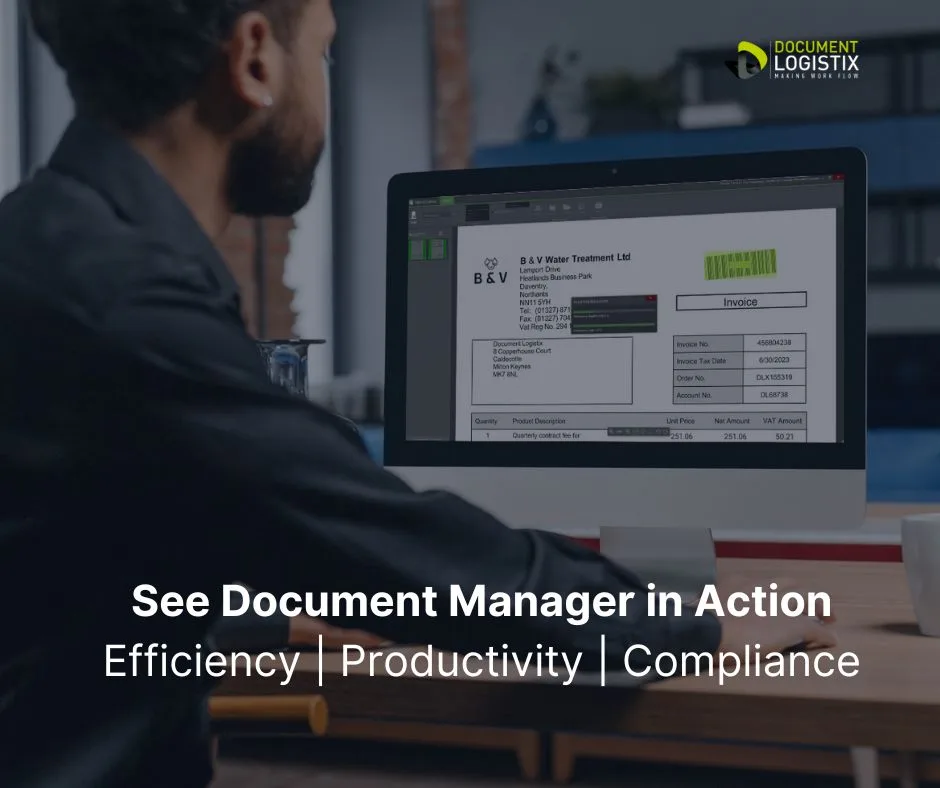
See Document Manager in Action and Discover More About the Benefits of Integration >>>>
Best practices for document management systems integration
Integrating a Document Management System (DMS) with other software platforms requires careful planning and execution to ensure efficiency and security. Here are some best practices:
- Needs Assessment
Clearly define business requirements, such as workflow automation, version control, access permissions and compliance needs. This ensures the DMS aligns with organisational goals. - Compatibility and Scalability
Ensure that the DMS integrates smoothly with existing software like CRMs, ERPs and email systems. Check for scalability to handle increasing data volumes over time. - Data Migration Strategy
Develop a robust plan for migrating existing documents to the DMS, ensuring no data loss. Implement metadata tagging to enhance searchability and organisation. - Security and Compliance
Implement role-based access controls, encryption and audit trails to protect sensitive information. Ensure the DMS complies with industry-specific regulations (e.g., GDPR, HIPAA). - User Training and Support
Provide adequate training to ensure all employees are proficient in using the system. Offer ongoing technical support to address integration issues. - Automation and Workflow Optimisation
Leverage the DMS’s automation capabilities to streamline document-related workflows, such as approvals and notifications. - Regular Monitoring and Updates
Continuously monitor system performance and update the DMS to keep it aligned with evolving business processes and objectives.
- These practices enhance efficiency, collaboration and security in document management.