Automate Compliance, Control Data Lifecycles and Eliminate Risk
Take control of your document lifecycle with intelligent records retention automation.
Automatically apply retention policies, trigger secure disposal and maintain full compliance – without manual tracking or risk of human error.
- Automate retention policies across all document types
- Ensure compliance with GDPR, SOX, and industry regulations
- Eliminate manual retention tracking and reduce admin workload
- Maintain complete audit trails for every action
Book a demo to see retention automation in action
Reduce compliance complexity
Document Logistix’ Document Manager makes records retention simple to take the headache and uncertainty out of admin and compliance. Electronic document management (EDM) means retention criteria are assigned dynamically when documents are loaded; the appropriate retention of document data and data deletion (purging) is managed automatically in the background. No need to label storage cabinets or worry about remembering when a document’s time is up.
What is Records Retention?
Records retention is the practice of storing documents, data or files for a specified period to meet legal, regulatory or business requirements.
Organisations establish retention policies to ensure compliance, protect sensitive information and manage storage costs.
After the retention period, records are securely disposed of or archived.
Automatically Delete Documents and Data after Retention Period
Retention policies are created to hold settings that determine how an organisation’s retention strategy is implemented on documents.
A ‘purge’ period can be specified in a policy to stipulate at what time a document is deleted from the system (purged).
This feature automatically deletes documents that have been assigned a Retention Policy according to the purge period defined in the policy.
This automated retnetion function enables organisations to cope comfortably with documents that have varying retention periods, such as HR records, contracts, accounting, finance and pension information.
Document Logistix’ retention solution also enables you to retain or purge data held as specific fields or components within long documents.
Retention Period Start Date Based on Document Creation Date
 This classification feature signifies that the start of a purge or archive period defined in a Retention Policy will be dependent on the date on which a document is created (as shown in the system field ‘Date Created’).
For Moderate and Complex licenses, the start date can be determined by index conditions. In any event, your documents will be retained and deleted for and at specified periods.
Retention Policy Defined by Drawer
Definition by Drawer means that you can link Retention Policies that you have defined and assigned to individual drawers. One policy can be selected for each drawer.
New documents in the drawer can have the settings defined in the associated policy applied and documents that already exist in the drawer can also have the policy retrospectively assigned to them. A policy can also be applied to more than one drawer.
Retention Policy Defined by Folder
Definition by Folder means that you can apply a Retention Policy that you have defined to an individual top-level folder.
The retention policy can be applied to all documents and sub-folders within the selected folder. A policy can also be applied to more than one folder.
Export Document File and Metadata when Document Purged
When documents are purged by retention settings, this feature enables the documents and associated index information (in XML files) to be exported to a selected location.
Retention Period Start Date Set by Workflow Update
This option enables a user to specify that the start date for a Retention archive or purge period is set by an update to a Workflow Step.
Retention Policy Set by Workflow Update
This enables a user to specify that a Retention Policy is applied to a document when a Workflow Step is run for that document.
Retention Policy Defined by Document Type
A Retention Policy can be associated with a particular Document Type. New documents of that type will automatically be assigned the settings defined in the associated Retention Policy.
The rentention policy settings can also be applied to existing documents of that type. A policy can also be applied to more than one document type.
Retention Policy Defined by Index Condition
This feature enables a user to specify that a Retention Policy can be applied to a document, or changed to a different policy, when a condition defined for the policy is met by the document, for example, index fields matching user-defined values.
Retention Period Start Date Based on Index Condition
This option enables a user to specify that the start date for a Retention archive or purge period is set by the date a condition is met by a document, such as an index field for the document being equal to a specific value.
Archive Documents to a Different File Store after Archive Period
This option enables document files to be physically moved to a new file location when the archive period has elapsed, which could be removable media
Sarbanes Oxley Compliance
Accurate Records Retention for UK Regulatory Compliance
Accurate records retention is crucial for UK regulatory compliance to ensure businesses meet legal obligations under laws such as the UK GDPR, Companies Act 2006, and HMRC regulations.
Effective retention prevents penalties, supports audits and safeguards sensitive data. Effactive retention management ensures accountability, facilitates dispute resolution and aids financial transparency.
Non-compliance can result in fines or legal action.
By maintaining accurate records, organisations demonstrate due diligence, enhance operational efficiency and protect stakeholders while meeting statutory retention periods and industry-specific requirements.
Use Cases for Records Retention Automation
HR Records Management
- Automatically retain employee records for required periods
- Trigger deletion after termination timelines
- Ensure compliance with employment regulations
Financial and Accounting Documents
- Retain invoices and financial records for statutory periods
- Automate archiving for audits
- Reduce risk of non-compliance
Contract Lifecycle Management
- Apply retention rules based on contract expiry
- Automatically archive or delete outdated agreements
- Maintain full legal traceability
Healthcare and Sensitive Data
- Enforce strict retention policies for patient or sensitive records
- Ensure secure and compliant disposal
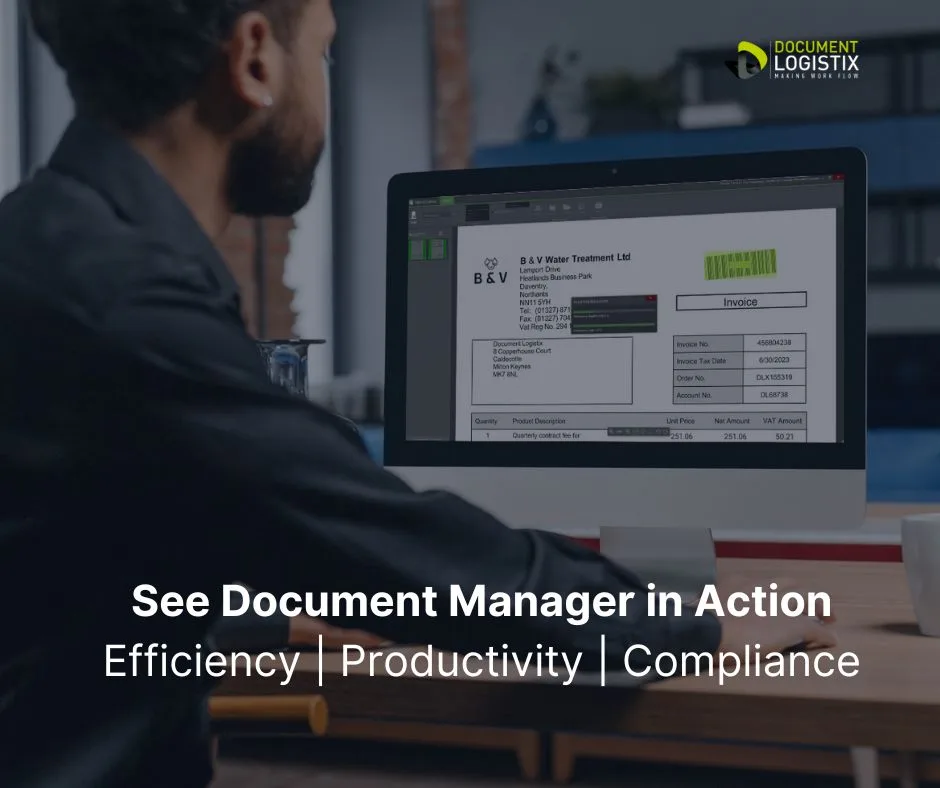
SEE DOCUMENT MANAGER IN ACTION >>>
The Value of Automation in Records Retention
Convert File Format when Purged Document is Exported
This license feature enables the format of documents to be changed to a multipage TIF image or PDF/A document when they are exported after being purged by your retention settings. A PDF/A document is a Portable Document Format file optimised for archiving.
Purge Approval for Document Deletions
This feature enables an Approval Process to be set up for document data deletion (purge). An Approval List is created to specify who approves the document data purge.
Minimum, Maximum Archive/Purge Dates
This feature enables an administrator to specify the earliest and latest dates to which an archive or purge date can be changed by a user with the required permissions. The time period set is calculated from the start date for a document (which can be the document creation date, the time when a condition is met or when the Retention Start Date is set by a Workflow Step).
Shorten/Extend Archive/Purge Dates
This means that a user with the correct permissions can perform a document deletion or archive ahead of the purge/archive date set by an associated Retention Policy and can choose to postpone the deletion or archive by changing the purge/archive date for the document.
Maximum Number of Retention Policies that can be Defined
This signifies the maximum number of Retention Policies that can be defined for each license level.
Document Manager and Records Retention
Efficient records retention and data purge (deletion) processes
To be legally compliant, you must have a reliable records retention and management solution to ensure that data is destroyed at the regulated time and cannot be unintentionally deleted beforehand.
Document Manager manages the retention and purging of stored documents and document data according to predefined schedules for each type of document or data field. The deletion and destruction process is initiated at a set time automatically.
Usually the data retention/purge period is mandated, for example in government, healthcare, insurance and financial services industries, where retention periods are dictated by regulatory requirements for inspections or audit.
Document Manager automated records retention helps organisations avoid fines and reduce legal risks associated with both deleted and expired content.
Be Compliant with an Automated Records Retention Solution
Using Document Manager to automate the retention and deletion of documents has many benefits:
- Enforces structured retention policies for document destruction across the organisation
- Minimises legal risks associated with expired records
- Reduces the high cost associated with manual processes and document deletion
- Saves physical storage space through digital records and retention management
- Facilitates embedding of best data practice and compliance policies in workflows
Contact Document Logistix to learn how simple it is to tailor an automated records retention process to suit your company’s needs.
Records Retention Relative Efficiency
Digital records retention management can save 40-70% of time compared to manual and hybrid processes.
Studies show that manual records management consumes up to 50% of an employee’s time, while automated systems reduce retrieval time by 80-90%.
Hybrid systems still require manual oversight, which leads to 20-40% inefficiencies.
Automation eliminates redundant tasks, accelerates compliance checks and streamlines document lifecycle management, which cuts administrative work by 50-75% and significantly improves productivity and compliance accuracy.

Top 4 Records Retention Best Practices:
- Establish Retention Policies for different types of records based on legal, regulatory and business requirements.
- Ensure Consistent Compliance
Monitor regulation updates. - Secure Records Management
Implement robust security protocols for records to protect against unauthorised access, data breaches and accidental loss or destruction. - Facilitate Efficient Disposal
Automate secure destruction of records in compliance with legal obligations.
Frequently Asked Questions
What is a records retention policy?
A records retention policy defines how long documents must be stored and when they should be deleted or archived.
Why is records retention automation important?
It ensures compliance, reduces risk and eliminates manual processes that are prone to error.
Can retention policies be customised?
Yes, policies can be tailored by document type, department, regulation or business need.
How does automation help with GDPR?
It ensures personal data is not retained longer than necessary and is securely deleted when no longer required. Data minimisation.