
10 Most Popular Software Packages: Integrating Essential Business Software
In today’s fast-paced digital world, businesses rely on various types of software to streamline their operations, improve efficiency and maintain a competitive edge. Whether it’s for communication, finance, customer relationships or employee management, the right software tools can make all the difference. Among these, document management software (DMS) stands out as a central pillar that integrates and enhances all other business systems.
By centralising document storage, access and control, document management systems (DMS) ensure process efficiency and maintain high standards of security and compliance across all business systems and important functions. Here’s a closer look at the essential types of software that every business needs and how they can all benefit from seamless integration with document management platforms.
The 10 most popular business software packages
Here is a list of the most commonly installed business software packages. They are all very likely to be familiar to you, as they are seen as essential to any business.
However, there is a notable absentee from this software ecosystem, namely document management software, which has the potential to connect and enhance all the popular business packages.
1. Microsoft Office
2. Payroll software
3. CRM (Customer Relationship Management)
4. Invoicing software
5. Time tracking software
6. Workforce management software
7. ERP
8. Accounting software
9. Human resources software
10. Marketing software
How centralised document management works with other business software and platforms from a technical point of view
From a technical perspective, centralised document management works with other business platforms by providing a unified system for storing, accessing and managing documents across multiple applications.
Systems integration enables seamless sharing of data and automates document-related workflows between different platforms, which improves process efficiency and control.
Here’s how DMS integration works:
1. APIs (Application Programming Interfaces)
APIs are crucial for enabling communication between a document management system and other business platforms such as Microsoft Office, Microsoft Outlook, CRM or accounting software. The API allows different systems to request, send and receive documents and data in real time. For example:
- A CRM can request customer documents like contracts from the DMS.
- A payroll system can store payslips automatically into the DMS using an API call.
APIs ensure that data can flow between the document management system and other applications without requiring manual input.
2. Integration Middleware
Middleware acts as a bridge between different systems and enables them to communicate and share information. Middleware can process data, transform formats and coordinate workflows between applications and the centralised DMS. It ensures compatibility between systems, even if they are built using different technologies.
For example:
- An HR platform and the DMS may use different data formats, but middleware ensures that employee documents can be transferred and stored in the DMS.
- Middleware can translate or map fields between accounting software and the document system, and ensure that invoices or receipts are properly categorised in both systems.
3. Document Metadata and Indexing
Centralised document management systems rely heavily on metadata and indexing to categorise and retrieve documents efficiently. When integrated with other business platforms:
- Metadata such as document type, customer name or project ID is transferred from the business platform to the DMS. For example, when a sales contract is created in a CRM, the DMS can automatically apply metadata like the customer ID, contract date and terms.
- This structured data allows for better searchability and retrieval across multiple platforms. A user in the accounting software might look up an invoice by invoice number, while someone in the HR software might search by employee ID, but all the information is pulled from the same centralised repository.
- Growing influence of artificial intelligence and machine learning in indexing, storing, searching and migrating information. AI aids interoperability while ML ensures continuous business process improvement.
4. Single Sign-On (SSO) and Access Control
Security and access control are essential when integrating document management systems with other platforms. Centralised document management systems often use Single Sign-On (SSO) and Role-Based Access Control (RBAC) to ensure consistent security policies across all integrated platforms:
- SSO ensures that users can log into multiple systems, including the DMS, using a single set of credentials. This streamlines access and ensures compliance with organisational security policies.
- RBAC ensures that documents stored in the DMS can only be accessed by users with the proper permissions, regardless of the platform they’re working from. For instance, an employee using payroll software will only be able to access payroll-related documents in the DMS based on their role.
SSO provides a seamless experience for users by allowing them to log in once and gain access to multiple applications without needing to re-enter credentials. For the user, it feels like a streamlined, hassle-free process, reducing the frustration of managing multiple passwords. Once logged in, they can navigate between different platforms – like email, CRM or document management – without interruptions or additional logins.
Working with centralised documents, the user feels that they are ‘in’ the same familiar software package, even when documents are stored and retrieved from a central repository.
5. Automation and Workflow Integration
Many modern document management systems come with workflow automation tools that can interact with other business platforms. These tools allow businesses to automate document-centric processes that span multiple systems.
Through workflow automation, document management systems can orchestrate complex processes across different platforms without manual intervention.
6. Version Control
When businesses work with multiple platforms, keeping track of the latest document version can become challenging. Centralised document management systems integrate version control features across platforms
7. Compliance and Auditing
Integrating a DMS with other business platforms ensures that documents are archived in a compliant and auditable way. A DMS typically provides features such as audit trails and automated data retention policies, which help to assure compliance wth regulations such as GDPR.
8. Business Process Management
Business Process Management (BPM) is important because it streamlines operations and reduces costs. By analysing and improving workflows, BPM software helps organisations respond quickly to market changes, ensure compliance and deliver better customer experiences. BPM fosters continuous improvement and aligns processes with strategic goals.
How does essential software that every business needs benefit from seamless integration with document management?
1. Microsoft Office
Microsoft Office remains the backbone of business productivity software. Outlook, Word, Excel and PowerPoint are widely used for communicating and creating documents, spreadsheets and presentations. When integrated with a document management system, emails and files can automatically be stored, organised and retrieved in a central repository. A DMS ensures that the latest version of documents is always available, enabling team collaboration while maintaining data security.
Integration Benefit:
- Streamlined document creation and sharing.
- Real-time version control and collaborative editing.
- Enhanced security by centralising access to emails and sensitive files.
2. Payroll Software
Payroll software helps businesses manage salaries, deductions, bonuses and other employee-related compensation. From a compliance perspective, payroll documents such as payslips, tax filings and benefit statements need to be stored securely. A DMS helps manage these sensitive documents by automating the archival and retrieval of payroll records, ensuring data privacy and easy access during audits.
Integration Benefit:
- Automated document filing of payroll reports and payslips.
- Secure storage of employee financial data.
- Efficient retrieval of documents during audits and tax filing periods.
3. Customer Relationship Management (CRM)
CRM software helps businesses track and manage customer interactions, sales and support services. By integrating a document management system with CRM software, businesses can organise customer-related documents, including contracts, proposals and invoices, to ensure that all relevant information is easily accessible by sales and support teams.
Integration Benefit:
- Quick access to customer contracts and sales documents.
- Improved customer service through efficient document retrieval.
- Centralised storage of customer-related information.
4. Invoicing Software
Invoicing software automates the generation and delivery of invoices to customers, ensuring timely payments. A DMS can help by storing all invoices in a structured manner, enabling businesses easily to track, retrieve and manage payment records. This integration not only boosts efficiency but also ensures compliance with financial regulations.
Integration Benefit:
- Centralised repository for invoices and payment records.
- Streamlined tracking of pending and received payments.
- Automated archival for compliance and auditing purposes.
5. Time Tracking Software
Time tracking software allows businesses to monitor employee work hours, project time allocation and productivity. Integrating it with a document management system enables automatic logging and filing of timesheets, making it easier for managers to review and approve records.
Integration Benefit:
- Streamlined processing of employee timesheets.
- Easy retrieval for payroll and HR purposes.
- Secure storage of timesheet records for future reference.
6. Workforce Management Software
Workforce management software helps businesses schedule employee shifts, monitor performance and ensure regulatory compliance.
A DMS integration ensures that workforce reports, employee schedules and performance documents are stored in a centralised location for easy access and evaluation by HR teams.
Integration Benefit:
- Centralised storage of employee schedules and performance evaluations.
- Simplified workforce report generation and review.
- Enhanced compliance by automating document storage.
7. ERP (Enterprise Resource Planning)
ERP, for example SAP, is a comprehensive enterprise resource planning solution used by businesses for everything from finance and logistics to HR and inventory management.
By integrating a document management system with ERP, businesses can create a seamless flow of information, ensuring that key documents such as purchase orders, reports and contracts are automatically archived and easily accessible across all departments.
Integration Benefit:
- Centralised document repository for all ERP-generated documents.
- Enhanced visibility and control over financial and operational documents.
- Automated compliance with industry standards and regulations.
8. Accounting Software
Accounting software manages a business’s financial transactions, from tracking expenses and revenues to producing financial reports.
Integrating popular systems such as Sage Accouting with a document management system simplifies the handling of receipts, tax documents and financial reports to ensure that all financial data is stored securely and can be accessed by relevant stakeholders when needed.
Integration Benefit:
- Simplified audit processes through centralised financial document storage.
- Enhanced accuracy with version control for financial reports.
- Secure storage of tax filings, receipts, and invoices.
9. Human Resources Software
HR software helps businesses manage recruitment, employee records, and compliance with privacy regulations and labour laws.
A document management system plays a key role by automating the filing and retrieval of employee records, such as resumes, contracts and performance reviews, ensuring that HR teams can manage and access essential documents efficiently while maintaining strict data security.
Integration Benefit:
- Streamlined document handling for recruitment and employee management.
- Centralised storage of confidential HR records.
- Automated compliance with labour laws and data protection regulations.
10. Marketing Software
Marketing software allows businesses to manage campaigns, track leads and measure the performance of their marketing efforts.
By integrating a document management system, businesses can store marketing assets such as brochures, presentations and media files in a centralised repository, making it easier to manage and collaborate on marketing projects.
Integration Benefit:
- Centralised storage of all marketing materials and campaign documents.
- Improved collaboration between marketing teams with easy document sharing.
- Secure and organised management of media assets and marketing files.
The Central Role of Document Management Systems
While each of these software solutions brings value to specific business functions, a document management system acts as the backbone that ties them all together. By centralising the storage and management of documents, businesses can ensure that information flows seamlessly between different departments and enhance overall process efficiency and control.
It is worth noting that users of any of the popular software packages never have to leave the environment they are familiar with. The DMS provides secure central storage and runs in the background while system users work with a familiar GUI or well-known interface.
Key Benefits of Document Management Integration:
- Process Efficiency
Automating document storage and retrieval saves time and reduces the risk of errors. - Enhanced Control
Centralised document access ensures that only authorised personnel can view or edit sensitive documents. - Compliance and Security
A DMS ensures that businesses comply with regulatory requirements by securely storing documents and maintaining audit trails. - Version Control
Document management systems ensure that only the latest version of a document is in use, preventing confusion and errors in collaboration.
Conclusion: How DMS enhances all essential business software
In an increasingly digital and competitive business environment, the integration of various software tools with a document management system is crucial for maximising efficiency and control.
Whether you’re managing payroll, accounting, customer relationships or employee data, centralising document management ensures that your business operates smoothly and remains compliant with regulatory standards.
As businesses continue to grow, a robust document management system becomes an indispensable part of a successful and scalable software ecosystem.
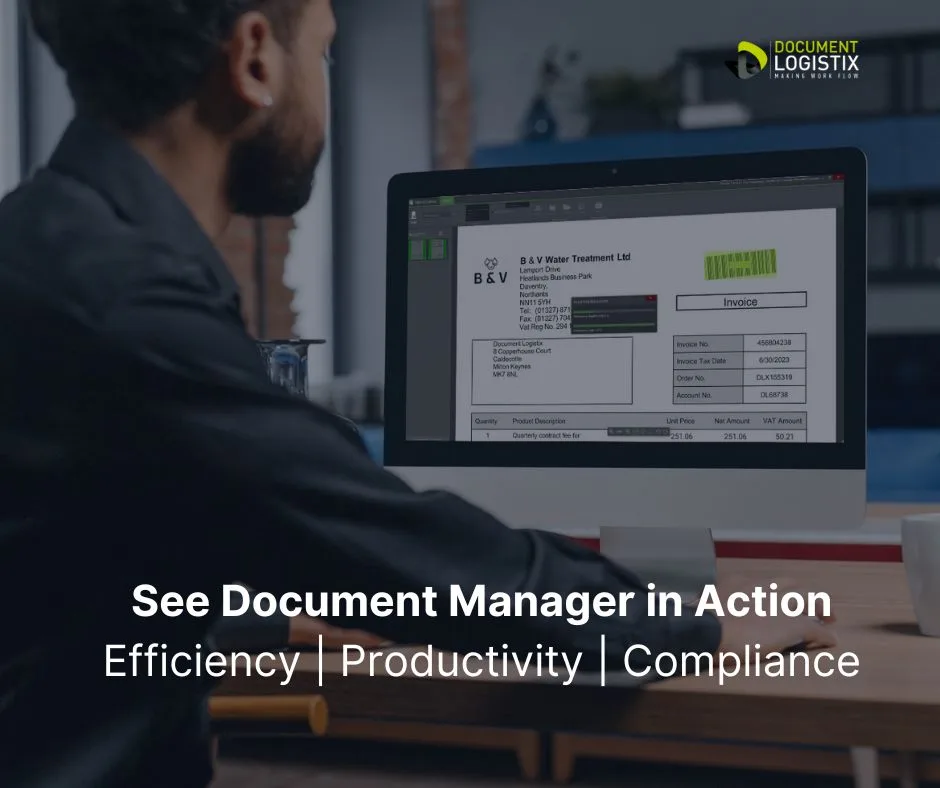
See essential business software integration in action
FAQs Essential Business Software + Document Management
Q: What is the benefit of integrating a DMS with my existing business software?
A: Integrating a DMS with business software like CRM, accounting or payroll platforms centralises document storage, making it easier to access, share and manage files across departments. It enhances collaboration, improves process efficiency and ensures document security and compliance. Automation of document-related workflows also saves time and reduces manual errors.
Notably, systems integration eliminates duplication of effort and duplication of IT budgets.
Q: Is it difficult to integrate a DMS with software like Microsoft Office or CRM systems?
A: Most modern DMS platforms offer easy integration with popular business software through APIs or built-in connectors. Microsoft Office, CRM systems like Salesforce, and ERP platforms like SAP can be integrated, and set-up is straightforward.
Q: Can I maintain version control across platforms after integrating a DMS?
A: Yes, integration with a DMS enables version control across all connected systems. For example, when a document is edited in a Microsoft Office program or a CRM platform, the DMS tracks changes and updates the latest version while maintaining a record of all previous versions. This prevents duplication or outdated file use, and reduces misunderstanding among co-editors and colleagues.
Q: How does integrating a DMS enhance security?
A: Integrating a DMS with business software centralises access control and security protocols, enabling businesses to enforce role-based permissions and track document usage through audit trails. Single Sign-On (SSO) can further enhance security by simplifying user access while ensuring compliance with security policies. Additional security and compliance measures include encryption, redaction features and retention and purge automation.
Q: Can I automate document workflows after integration?
A: Yes, integrating a DMS allows for the automation of document-centric workflows across platforms. For instance, invoices created in accounting software can be automatically saved and routed for approval within the DMS. Workflow automation helps reduce manual tasks, improve process efficiency and ensure timely document approvals and processing.
Related Articles
What is a Document Management System (DMS)