
Digital Document Management Explained
This guide to digital document management covers everything you need to know, including the benefits, best practices, tools, implementation strategies and predicted ROI of digital document management systems.
Digital document management is essential for organisations looking to streamline operations, boost collaboration, enhance security and improve access to critical information.
Document Logistix’ own system, Document Manager, has won multiple Product of the Year awards for digital document management, records management, document management workflow, business process management and Robotic Process Automation.
We’ve drawn on thirty years of experience in document management solutions to bring you this complete digital document management systems guide to help you maximise your company’s document management capabilities and optimise automated processes.

1. What is digital document management?
Digital document management refers to the systematic handling, storage and retrieval of documents in electronic formats. A digital document management system involves the use of specialised software to organise, secure and manage digital documents, which replaces traditional paper-based systems. As well as operational efficiency, assured compliance with laws and industry regulations is an important function of digital document management.
The great benefit of digital document management – also referred to as electronic document management – is that you can embed rules into the management process and automate workflows. Digitisation is the foundation for document control, how important business documents are captured, stored in a secure document repository, how they are routed within your organisation, how business documents are approved, and finally, how they are archived or deleted to meet internal policies or external regulatory requirements.
2. Modern document administration
A modern document administration set-up is sometimes characterised as a content management system. The digital system streamlines content management and organisation-wide workflows by leveraging digital solutions for efficient capture, document creation, storage, retrieval and collaboration within automated workflows. Cloud-based digital document management systems ensure real-time access and better security. Automated version control, metadata tagging and regulatory compliance tools reduce manual errors, accelerate productivity and foster a culture of transparency and sustainable knowledge management efficiently.
By modern document management, we mean document control with digitisation at its core. As opposed to time-consuming paper-based or hybrid document management processes that cannot be automated, are prone to human error, and cannot be improved by emerging enhancements such as AI and machine learning that greatly enhance the capabilities of optical character recognition.
3. Benefits of digital document management
Increased business efficiency
- Digitisation enables you to automate historically manual processes and work with electronic documents, which saves time and reduces errors.
- OCR document imaging and AI-driven data capture improve the accuracy of document ingestion, document routing and business processes such as approvals and escalation, which is key to operations such as invoice processing and HR onboarding.
Enhanced security
- Digitisation enables you to reinforce data security by implementing end-to-end encryption, using redaction tools to mask sensitive data, installing role-based access controls to specify permissions to access documents and folders, and generating time-stamped audit trails to for QA and regulatory compliance requirements. Digitisation ensures document security in all document workflows.
- When selecting a document system, evaluate the developer or provider by asking how often the system is penetration tested to ensure document security and data protection.
Cost savings
- As well as measurable efficiency savings – staff time and resources – digital document management reduces the need for physical storage space, paper st0rage and paper, which lowers operational costs.
Improved accessibility
- After you upload documents, digital document management enables rapid search and retrieval to ensure instant access to documents – based on your company’s policies – from anywhere, which facilitates remote work, field work and home access. Instant information retrieval is especially important for knowledge workers, who typically waste 20% of their time when working with paper-based systems.
Enhanced compliance measures
- Digitisation simplifies adherence to regulatory requirements such as GDPR by organising and tracking electronic documents. Built-in compliance features include data encryption for data protection, document redaction, role-based access controls, automated data retention periods and comprehensive audit logs.
Comprehensive reporting
- Systems such as Document Manager have built-in management reporting and business intelligence tools that help users to make fully-informed and therefore better decisions.
- A customisable user dashboard provides an at-a-glance view of the status of tasks and workflows. Plus, it is simple to add a visual business intelligence dashboard that amalgamates data from multiple sources to show business information and KPIs as live feeds, videos, charts and info-graphics.
Collaboration
Digital document management works for your staff, team members, partners, suppliers and customers. By Centralising records you create a reliable content management system that enables you to consolidate your knowledge base and maintain up-to-date information, while project management tools such as check-in/check-out and automated version control mean system users can collaborate in real-time from any location. Document business software enhances internal communications.
Business Continuity
Digital management software disaster recovery and business continuity capabilities ensure that organisations can quickly resume operations after unexpected disruptions such as cyberattacks, system failures or natural disasters.
Disaster recovery focuses on restoring data, business applications and infrastructure, while business continuity ensures critical functions continue with minimal downtime.
Together, recovery and continuity measures protect against data loss, maintain customer trust and reduce financial impact. Key elements include data backups, cloud storage, failover systems and regular penetration testing to ensure resilience and rapid recovery in crisis situations.
4. Key features of a digital document management system (DMS)
Document capture and indexing
Converts paper documents to digital formats and tags them with metadata for easy retrieval.
Search and retrieval
Provides powerful search capabilities to locate digital files quickly.
Version control
Tracks changes to digital documents, facilitates document check in and check out, and with centralisation ensures that single documents are always up to date. Version control enables you to see an entire document history.
Access control
Restricts document access to authorised users based on roles and permissions.
Audit trails
Logs all actions taken on digital fles for accountability and compliance purposes, which makes internal QA audits and external audits less of a concern and easier to fulfil.
5. Best practices for document management
1. Centralised storage
Centralise document storage in a document repository in secure location to avoid the pitfalls of housing electronic documents in multiple locations, such as version control issues and compliance management difficulties.
2. Automate workflows
Implement automated workflows to streamline electronic document routing, approval, sharing and archiving. Automation enables you to embed company policies such as approval thresholds and escalation procedures.
3. Regular backups
Ensure regular backups are conducted to prevent data loss.
4. Data security
Use data encryption and multi-factor authentication (MFA) to protect sensitive information, guard against misuse and prevent cyberattacks.
5. Compliance
Stay up to date with industry regulations like GDPR or HIPAA and ensure your DMS complies. Embed best practices into workflows to prevent errors. Activate automated data retention and purge to ensure documents are kept and deleted in accordance with legislation timelines.
6. Training
Regularly train employees on the DMS to maximise efficiency and minimise errors. Most DMS have far more functionality than users realise, especially when new users do not receive in-depth training and system orientation.
6. Choosing the right document management system
When selecting a DMS, consider the following factors:
Scalability
Ensure the system can grow with your organisation, notably after M&A.
User-friendliness
Choose a system with an intuitive user-friendly interface to ease adoption.
Integration
Look for a DMS that integrates with your existing platforms and installed software (e.g., CRM, ERP, and Finance systems, and popular business software such as Microsoft Office, Microsoft Dynamics, Sage and Google Workspace).
Customisation
Opt for a system that allows customisation to meet your specific needs. Notably, the user dashboard should be customisable to enable users to work in familiar ways with tasks they carry out frequently.
Support and training
Ensure the vendor offers adequate support and training resources.
Product roadmap
The digital landscape and regulations change frequently. Be sure the document management provider has a product roadmap to capture your feedback and requirements, and to help prepare you for emerging challenges and changes in market conditions.
Proven security
Check the vendors accreditations and, to prove the security of the DMS, ask how often it is subjected to penetration testing.
7. Implementation steps for document management solutions
1. Assess needs
Determine the specific needs of your organisation, including document types, security requirements and workflow processes.
2. Select a DMS
Choose a digital document management system based on the assessment criteria.
3. Migrate documents
Digitise current paper documents and migrate digital files to the new system. Vendors such as Document Logistix provide rapid scanning and document indexing in their in-house scanning bureau.
4. Train staff
Provide comprehensive training to all users to ensure smooth adoption and to extract maximum value from the DMS. Training should include awareness of compliance regulations and how to deal with potential privacy breaches.
5. Monitor and optimise
Continuously monitor the system’s performance and make adjustments as needed. Vendors like Document Logistix provide sophisticated tools that can be used without a requirement for technical expertise, such as the ability to update your workflows dynamically.
8. Common challenges and how to overcome them
Resistance to change
Mitigate resistance by involving employees in the selection process and providing thorough training.
Data migration
Plan and execute data migration carefully to prevent loss and ensure data integrity.
Your DMS supplier may have experience of migrating large amounts of data, which is commonly required when a merger or acquisition has taken place.
Note that a commitment to digital transformation usually necessitates migrating legacy documents and their associated data. Certainly, for optimum control and risk management, consider migrating all information that is still within any required retention periods.
Read how Document Logistix migrated customer records quickly and without disruption for a customer in the finance sector.
Compliance risks
Regularly audit the system to ensure it meets all relevant regulatory requirements.
9. Future trends in digital document management
AI and Machine Learning
AI will enhance document indexing, search and predictive analytics. Companies like Document Logistix embed AI into the data capture process to enhance the accuracy of document indexing and routing. Machine learning enables DMS users to train the system to achieve optimum performance and accuracy.
Mobile accessibility
Document management system access on mobile devices. There is increasing demand for mobile-friendly DMS platforms as remote work becomes more common. Document Logistix mobile app has been available for many years.
10. Useful external resources
- AIIM – The Association for Intelligent Information Management
- GDPR compliance checklist
- NIST – National Institute of Standards and Technology: Data Security Guidelines
- Cloud Security Alliance – Security guidance for critical areas in cloud computing and cloud storage
By following this guide to digital document management, organisations can implement and manage a document management system that enhances operational efficiency, security and compliance, and position themselves for future growth and innovation.

How quickly will I see a return on investment with digital document management?
It is important to view the deployment of document management softwae as an investment, and therefore, it is not only fair but also sound business practice to estimate when you will see a return.
The speed at which you see a return on investment (ROI) from implementing DMS depends on several factors, including the size of your organisation, the volume of documents you manage, the relative value and importance of documents in a business process, the specific system you implement, and the efficiency of your current document management processes. Also, the degree to which you are able to follow document management best practices for implementation.
However, it is safe to say that implementation times today are faster than ever before, even for complex multi-department installations. Plus, more and more users have grown up in the digital age and the era of digital transformation, and are computer literate, so adoption is also fast. Here is a general outline of the timeline and key factors influencing ROI.
Initial Implementation (Early months)
- Costs
When writing your business plan, consider upfront costs that can include software purchase or subscription, hardware upgrades (if required) and training. - Benefits
You will start seeing immediate improvements in document retrieval times, reduced physical storage needs and enhanced collaboration.
Short-term (3 months)
- Benefits
As users become familiar with the document management software, productivity improvements become more noticeable and can be measured. Reduced time spent searching for documents, fewer errors and streamlined workflows contribute to efficiency gains.Knowledge workers, for example, will be far more efficient as they will not have to spend 25-30% of their time searching for information in multiple locations. In departments such as Customer Services ROI can be measured in terms of improved customer satisfaction and retention.
- Savings
Reduction in physical storage costs (e.g., paper, filing cabinets) and a decrease in printing and distribution costs.
Mid-term (6 months)
- ROI materialises significantly
By this point, you should start seeing more measurable financial returns. For instance, time savings translate directly into cost savings, and improved document security reduces the risk of compliance issues and associated fines. QA and external audits will no longer drain resources as much of the procedural information is automated. - Operational improvements
Automation of repetitive tasks (like document routing and approval processes) reduces manual labour and increases efficiency and cost savings.
Long-term (1+ year)
- Full ROI realisation
For the purposes of your business plan, it is safe to say that, typically, within a year the digital document management system pays for itself through continuous efficiency gains, reduced operational costs and improved business agility. - Additional benefits
Better decision-making owing to easier access to information, built-in reports and business intelligence, scalability as your business grows, and the ability to integrate with other business systems.
Key factors influencing ROI:
- Volume of documents
Higher volumes lead to faster ROI owing to greater efficiency gains. - Current document management practices
If you currently have inefficient or manual processes, the ROI will be realised more quickly. - System costs
The choice between on-premises vs cloud-based systems can affect the timeline, with cloud-based solutions typically offering faster deployment and, potentially, lower upfront costs. - User adoption
The speed at which employees adapt to the new system influences how quickly you see benefits, which makes training and orientation a high priority. - Industry compliance requirements
Industries with stringent document management needs (e.g., legal, healthcare, finance, insurance) may see faster ROI owing to the necessity of compliance.
Business examples:
- Small business ROI
A small business might see a return within 3-6 months as they eliminate manual processes and reduce storage costs. - Large enterprise ROI
A large enterprise with complex document management needs might see highly significant returns within a year, especially if they replace a legacy system.
By planning effectively and ensuring user adoption, the majority of organisations start to see significant positive returns within the first year.
The Art of Digital Stewardship
In the end, mastering electronic document management isn’t just about systems, tools or techniques – it’s about intention. A well-organised digital ecosystem reflects a well-organised business mind. It enables creativity, fosters collaboration and safeguards the stories we tell through our data.
But remember, technology is ever-evolving, and so too must be our practices. The perfect folder structure, tagging system or document archiving process of today might be obsolete tomorrow.
The key is adaptability – building a business mindset that embraces change while holding firm to the principles of clarity and accessibility.
Think of your digital documents as an archive of your business journey – a testament to teams, projects and growth. As you fine-tune your systems, take pride not only in the efficiency they bring, but also in the care and thoughtfulness you invest in preserving your work.
In this digital age, you are not merely a user of tools; you are a steward of information.
With effective document capture and documents stored centrally, you enjoy total workflow management and complete document histories, including a view of obsolete documents.
A modern document management system is business software to eliminate paper processes, enhance data retrieval and file sharing capabilities for multiple users, all integrated with your existing systems.
Enjoy integration that facilitates everything from invoice processing to contract management, with access to customer information and any other critical business process.
Take the opportunity to embrace this responsibility with the respect it deserves, and it will reward you with clarity, creativity and the freedom to focus on what truly matters.
Trial and Demonstration Availability
Always request a trial or demo of the document management software. This will give you and your team a better understanding of the user experience and system features before making a final decision.
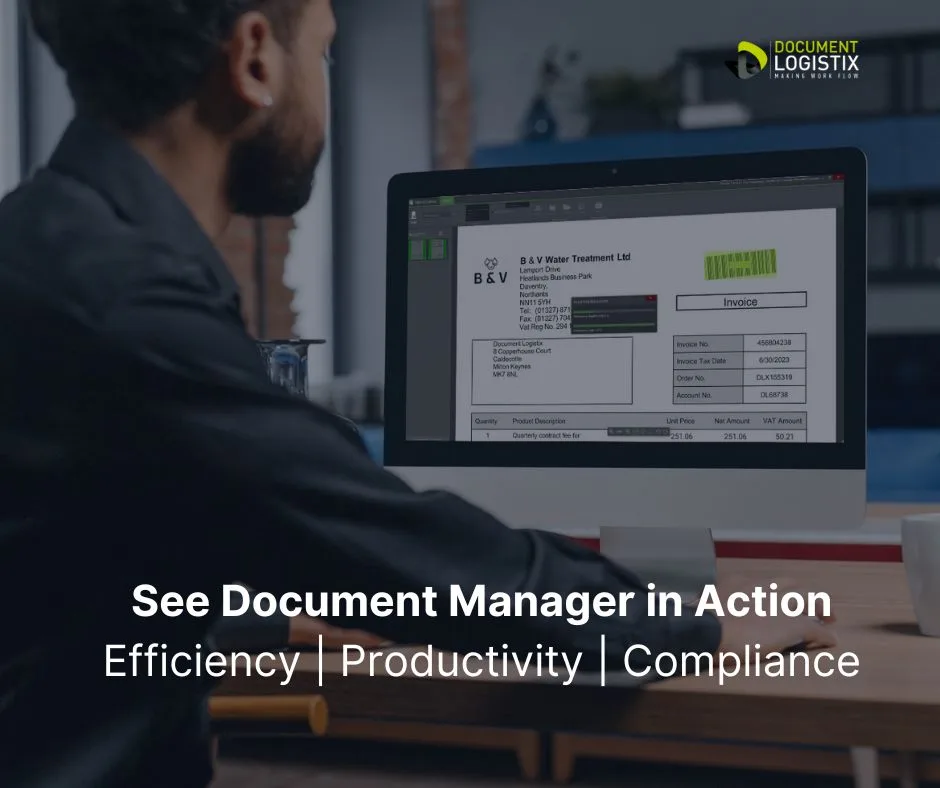
See Document Manager in action by checking below and get in touch.
Explore Document Manager’s customisable user interface, file sharing, the elimination of paper records, and integration with your existing documents.
See how moving from paper-based and hybrid systems enables you to store, manage and track documents to reach the highest levels of business efficiency and effectiveness, with real-time business intelligence at your fingertips.
It’s important to trial and evaluate systems to find the right document management system for your business operations and your users.
Check out Document Manager below and book a demo to determine the best document management software to meet your business needs.
Related articles
Document Processing Software: Streamlining Your Workflow with AI-Powered Solutions
Top Document Management System Benefits
Secure Centralised Document Storage
Check out Document Management Trends 2026
Read about Document Logistix Double Award including Records Management Product of the Year
Types of document management software
Digital document management solutions come in various forms, catering to different business needs:
Cloud-based DMS
Cloud technology (cloud-based DMS) allows access from anywhere with an internet connection. Cloud services potentially eliminate upfront costs and are available on a subscription basis. Cloud solutions offer flexible, scalable storage space.
On-Premises DMS
Installed locally on a company’s servers, which provides more control but may require a CAPEX budget and in-house maintenance. Usually. the chosen option for organisations that store and work with high-risk data that demands forensic record keeping.
Industry-specific DMS
Tailored to meet the needs of specific industries like healthcare, legal or finance.
An example of sector-specific DMS for legal case management is e-Discovery
How to choose the right DMS
Selecting the right DMS depends on various factors:
Business size and needs
Small businesses may only need basic features, however digital document management can often be a cost-effective move for small businesses, and can be transformative in operations, cost control and profitability. Large companies are likely to require robust solutions with more complex workflows and permissions for more users.
Budget
Consider both the initial cost and ongoing expenses.
Integration
Ensure compatibility with your currently installed systems to optimise performance and maximise ROI.
User-friendliness
The document management software should be intuitive for all users to facilitate adoption, and have customisation options so that users can work the way choose.
Scalability
Choose a solution that can adapt and grow with your business.
Compliance requirements
Ensure the document management system supports your industry’s regulatory needs. Notably, that it will help you to eliminate paper documents and centralise all electronic documents to ensure control and auditability.
Digital Document Management Systems and Document Storage: The Difference
There are many document storage platforms such as free and bundled software like Google Drive, Dropbox, OneDrive and SharePoint.
However they should be distinguished from fully fledged digital document management.
Typically storage programs such as Google Drive provide a convenient space to share documents, but they do not offer the management, workflow, version control and compliance measures of a dedicated document management system.
A. Microsoft SharePoint
SharePoint is a good example of a widely used document sharing solution that integrates seamlessly with Microsoft Office and Teams, providing robust document storage, collaboration and some workflow features.
SharePoint’s enterprise-level security makes it a top choice for businesses of all sizes. However, user feedback suggests that it requires specialist programming to deliver document control, that can prove costly.
B. Document Manager
Deemed the most flexible DMS, the award-winning solution, Document Manager, integrates with all leading platforms and delivers workflow automation, assured security and built-in compliance functions that makes Document Manager a top choice for businesses, organisations, agencies and enterprises of all sizes.
Compare Digital Document Systems
You can read our digital document management comparison checklist to learn about the innate characteristics of available systems. What features are built-in to a document management system and which systems require additional programming and maintenance?
A Digital Document Management System (DDMS) is a software solution designed to store, manage and track electronic documents and images of paper-based information. A digital document management system involves taking a holistic approach to improve efficiency by enabling instant access, secure storage, and easy document sharing across organisations. DDMS reduces paper usage, minimises data loss risks, and enhances collaboration through strict version control and audit trails. Commonly used in businesses, digital document management systems support regulatory compliance and streamline workflow processes, thereby contributing to increased productivity and better decision-making.
Document Management Frequently Asked Questions (FAQs)
Q1: What is the difference between DMS and ECM?
A: A document management system focuses specifically on managing documents, while Enterprise Content Management (ECM) encompasses a broader range of content management, including web content, records management and digital asset management.
Q2: Can DMS handle non-document files?
A: Yes, many document management systems can manage a variety of file types, including images, videos, emails and unstructured data.
Q3: How does DMS improve compliance?
A: A document management system provides tools for maintaining audit trails, managing document lifecycles and ensuring that documents meet regulatory standards.
Q4: Which industries and departments use document management software?
A: Digital Document Management Software is widely used across various industries to streamline document handling and improve efficiency. Key industries include:
Legal
For managing legal documents, contracts, case files and client records.
Healthcare
To handle patient records and compliance documentation securely as digital images.
Finance
For organising digital invoices, digital purchase receipts, financial documents, bank records, reports and audits.
Construction: To manage blueprints, suppliers, contracts, regulatory documentation and project documents.
Education
For handling student records, digital administrative files and research data.
Accounting
For AP workflows with purchase management, invoice number tracking, payment due dates and compliant record keeping.
HR Departments
To manage employee documentation from automating the onboarding process to managing staff leavers, including contracts, right-to-work, training and data retention schedules for sensitive information.
Guide to Document Management Solutions: Appendix 1
Document Management Best Practices (Continued)
1. Version Control
- Use tools that support automatic versioning (e.g., Document Manager).
- Clearly label document versions using standardised naming conventions (e.g.,
Project_Report_v1.0). - Archive older versions to avoid confusion while retaining a version history for reference.
2. Metadata and Tagging
- Apply metadata fields (e.g., author, date, department and keywords) to make searching more efficient.
- Use consistent and relevant tags to classify documents within your digital filing system.
3. Document Retention Policies
- Establish retention schedules based on legal and business requirements. This is a key part of document management best practice.
- Automate deletion processes to prevent documents and data exceeding mandated retention schedules, to ensure compliance with regulations like GDPR, HIPAA, CCPA, FERPA and SOX.
4. Backup and Recovery
- Regularly back up all digital documents, with at least one backup stored offsite or in a cloud environment.
- Test recovery processes periodically to ensure they work effectively during critical situations.
5. Role-Based Access Control
- Assign permissions based on roles to restrict access to sensitive documents.
- Review and update access permissions periodically to prevent unauthorized access.
6. Secure Document Sharing
- Use encrypted channels for document sharing (e.g., password-protected links or secure file transfer protocols).
- Avoid email for highly sensitive files; instead, use encrypted systems like Document Manager.
7. Audit Trails and Monitoring
- Enable audit trails to track who accesses or modifies documents.
- Monitor access logs to identify potential breaches or misuse.
8. Standardised Document Templates
- Develop and use templates for recurring document types (e.g., invoices, reports and contracts).
- Ensure templates are consistent with branding and legal requirements.
9. Training and Awareness
- Conduct regular training sessions for employees on document management systems and practices.
- Update teams on new tools, policies or security threats related to document management.
10. Sustainability Practices
- Minimise redundant digital storage to reduce costs and environmental impact.
- Decommission unused digital repositories responsibly, ensuring data is erased securely.
11. Integration with Other Systems
- Integrate document management systems with other tools, such as CRM, ERP or project management software, for seamless workflows.
- Use APIs to automate data exchange between platforms when feasible.
12. Archiving and Long-Term Storage
- Store archived documents in a format that ensures long-term readability (e.g., PDF/A).
- Migrate archives to newer systems or formats to prevent obsolescence.
13. Feedback and Continuous Improvement
- Encourage user feedback on document management systems.
- Regularly review and update practices to incorporate technological advancements and address evolving business needs.
14. Adherence to Compliance Standards
- Stay informed about industry-specific regulations (e.g., ISO 27001 for information security or FDA guidelines for electronic records).
- Conduct regular audits to ensure compliance and mitigate risks.
15. Standard Operating Procedures
- Embed Standard Operating Procedures (SOPs) in workflows to ensure consistent execution of tasks by integrating step-by-step guidance directly into daily operations. Embedding SOPs streamlines processes and drives continuous improvement across teams.
These continued best document management practices aim to streamline your digital document management to ensure efficiency, security and compliance.
Get in touch if you’d like further document management best practices advice or practical examples for any of the points made in this best practices appendix.
Appendix 2: Digital Document Management and ECM
Digital Document Management is the primary component of Enterprise Content Management (ECM)
An alternative definition of a DMS presents it as the digital representation and secure storage of documents so that businesses can achieve new levels of speed, accuracy and transparency at the same time as creating a predictable, reliable and repeatable information infrastructure. ECM is an in-the-round electronic document management system that supports enterprise resource planning.
Digital Document Management and ECM are related but distinct
Document management focuses on organising, storing and retrieving digital documents. ECM has a broader scope that involves content management on broader scale that includes documents, emails, images and videos, while integrating workflows, collaboration and compliance. ECM is holistic electronic document management system that encompasses document management as one of its components.
Your Digital Transformation Journey
Digital document management is the foundation of digital transformation, which enables businesses to streamline operations, enhance accessibility and improve security.
By digitising documents, organisations reduce reliance on paper, minimise storage costs and enable seamless collaboration in an electronic document management system.
A critical first step is back-scanning legacy and archived documents to ensure that historical records are easily searchable and retrievable. Modern scanning solutions with OCR (Optical Character Recognition) make this process efficient and advisable, to convert paper documents into indexed, searchable digital assets.
Digitising all documents not only preserves valuable information but also sets the stage for automation, analytics and AI-driven insights, to drive optimum efficiency and innovation across the enterprise.
Pricing and Features of Document Management Software
Document management software pricing varies based on features, storage, and user access.
Basic Plan ($10–$25/user/month)
Cloud storage, OCR and basic collaboration tools.
Standard Plan ($30–$60/user/month)
Version control, e-signatures, workflow automation and enhanced security.
Enterprise Plan ($80–$200/user/month):
Custom integrations, AI-powered search, compliance tools, unlimited storage and priority support.
Some providers offer one-time licensing ($500–$5,000) for on-premises solutions.
Free or freemium options exist with limited features.
Pricing often scales based on storage, API access, and compliance requirements. Custom quotes are common for large enterprises.
Further Reading
Read An Introduction to Document Management Software
Read How to Manage Unstructured Data
Read Artificial Intelligence in Document Management